HTNetwork Changelog
Stay up to date with the latest updates, improvements, and new features across all HTNetwork game server hosting services and packages.
Latest Updates
New Script Release - HTN-Radial Menu
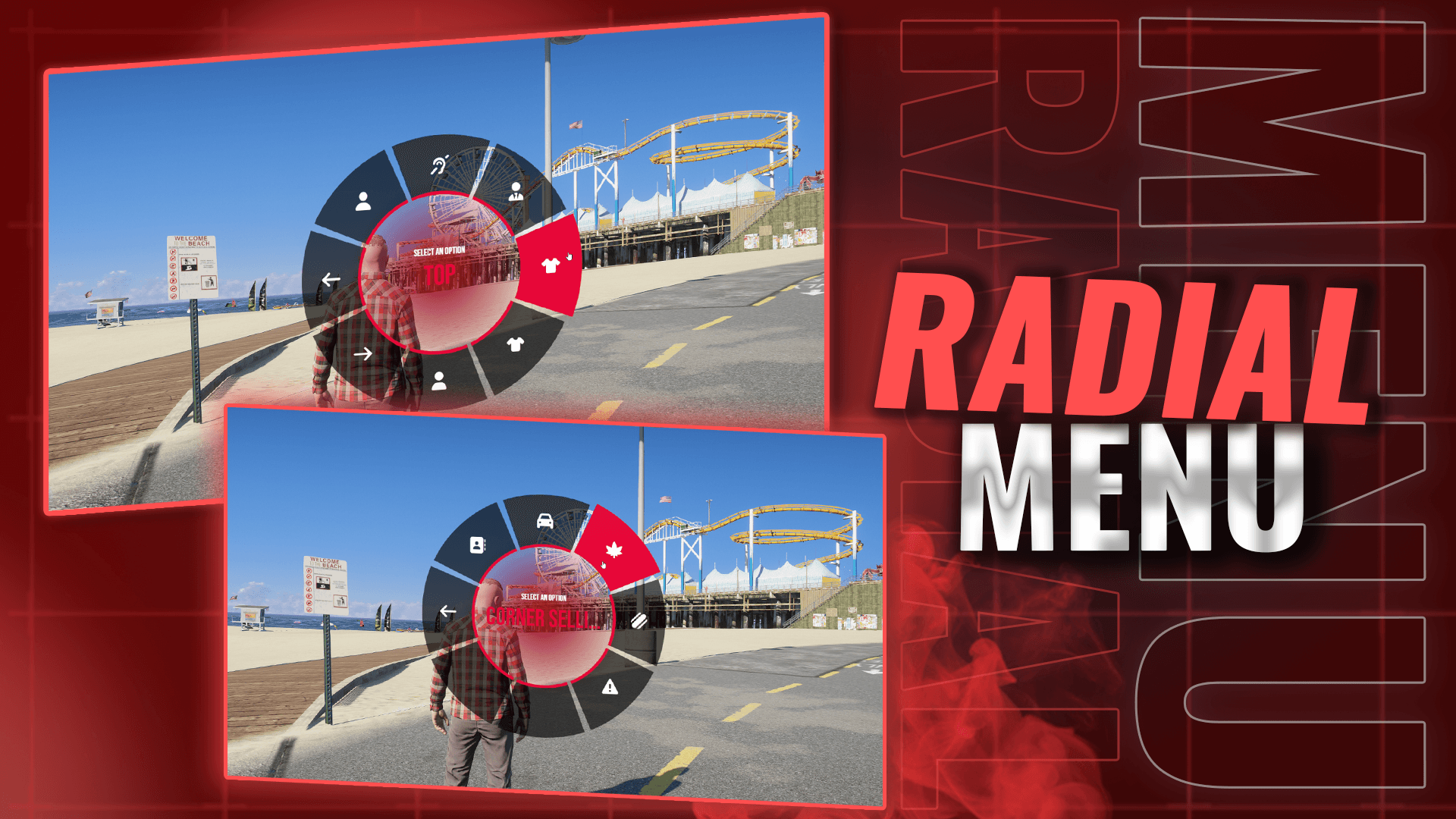
🆕 Radial Menu — Reimagined ✨ Exclusive to HTN+ Members 📦 Included with the QBCore All-In-One Package 🌀 What’s New • Fully reworked and rewritten from the ground up • Modern, fluid UI design • Smooth, polished animations • Faster and more intuitive interactions • Improved performance and responsiveness • Cleaner overall user experience 🚀 This is a complete redesign of the old radial menu, built to feel smoother, faster, and more modern across the board.

New Release: HTN Spawn Selector
We've just dropped the all-new htn spawn selector – exclusive for HTN+ members! This is a complete rebuild from scratch that replaces the old default spawn system. We made it specifically for our framework, with a clean, premium look and feel. ✨What's New * Beautiful overhead map view with smooth zooming and cool fog effects * Simple spawn picking with icons for homes, jobs, and whatever custom spots you want * Smooth animations and nice camera moves every time you spawn * High-end desig

QBCore Patch Notes - V1.09
(Free) • Fixed the broken loading screen • Added a new loading screen into QBCore All-In-One ported from HTNFW • Replaced the HTNFW loading screen with an improved version, with HTN+ Free update for all users.

HTNFW | HTN+ Update
🆕 New: HTN Loading Screen Introduced a loading screen with a music player and animated typing text that you can edit in the config to welcome players with whatever text you want. 🆕 New: HTN Billing System * You can now generate invoices using /invoice to bill players * An alert will appear on their phone so they can accept or decline * Ideal for mechanic shops and other jobs when invoicing players 🎨 Updated: Radial Menu Reskinned the radial menu to give it a fresh, modern look

New Script Release: HTN-Spawn selector
We’ve officially released our brand new htn-spawn selector script, now included exclusively for HTN+ members as part of the QBCore All-In-One package. This is a complete replacement for our old QB spawn selector — rebuilt from the ground up with a modern approach. ✨ What’s New * Modern, unique spawn selector UI * Smooth, fluid animations (no clunky transitions) * Clean cinematic feel for first joins & character spawns * Designed to elevate server quality and first impressions * Fully in

New Script Release: HTN-Blackout
🧨 What’s New * Brand-new, fully custom Blackout Script exclusive to HTN+ members * Coordinated crew gameplay: Disable 3 city generators at the exact same time * Strict 20-second window for perfect sync with your team * Successful blackout unlocks the Pacific Bank Robbery ⚡ Core Features * Team-based precision challenge requiring 3 players to hit generators simultaneously * City-wide power outage mechanic that disables lights and security systems * Direct trigger for the high-stakes P

New Script released - HTN-Drug Courier
HTN+ Exclusive • QBCore All-In-One Only Available only to HTN+ members, built specifically for QBCore All-In-One, and not sold publicly or as a standalone script. 🧠 Core Gameplay • Play as an underground drug courier • Deliver illicit goods across the map in dynamic missions • Police roles cannot see or access the job 📍 Mission Flow • Randomised start location every run • Start point shown via a map blip • Missions send you to unique delivery locations across the map • Immersive pickup and

New Script Released: HTN-Hacker
💻 HTN+ EXCLUSIVE – New HTN-Hacker Script for HTNFW A brand-new, fully custom hacking experience has just dropped for all HTN+ members using HTNFW. 🧨 What’s New • A completely original hacking minigame • Sleek, modern, realistic UI with a full hacking tablet • Designed specifically for HTNFW criminal gameplay ⚡ Core Features • Multi-stage hacking sequences with smooth transitions • Dynamic number-tracking system and interactive logic flow • Balanced difficulty that rewards player skill • Ful

New Script Released: HTN-Roadside Assistance
A brand-new career is now live for all HTN+ members inside the QBCore All-In-One package. 🛠️ Become a Roadside Assistance Officer Pick up the job directly from the Job Center and start responding to players with: • Dead batteries • Engine breakdowns • Locked/forgotten keys • Plus fully customizable callouts you can add yourself 🚨 Dynamic Scene System Each callout spawns a full roadside scene with props, hazards, and unique locations across the map. 🚚 Job Vehicles & Uniforms Fully integrate

vMenu Advanced Update — Major Vehicle Expansion 🚗✨
🚙 100+ New Vehicles Added Over 100 vehicles have been ported directly from our QBCore All-In-One package. 🚓 Expanded Civilian & LEO Fleet A full mix of civilian and emergency vehicles is now included. 🔧 Lore-Friendly / Debadged Only Every vehicle is either fully lore-friendly or cleanly debadged for a consistent experience. 📁 Updated vMenu Config The entire vMenu configuration has been rebuilt to match the new fleet. 🛠️ Unavailable Vehicles Fixed The issue where certain vehicles showed

🎉 New Script Released: HTN Emotes 🎉
HTN Emotes is a brand-new, fully custom emote system Exclusive to HTN+ and HTNFW servers, designed to give players total control over expressions and actions. 💃 Fully Custom Emotes Access a complete library of unique emotes built from the ground up. Every gesture, action, and animation is crafted for seamless gameplay. ⚡ Quick & Intuitive Menu + Hotbar Support Trigger emotes instantly using the modern menu or assign your favorites to a hotbar for one-click access. Perfect for roleplay or fast

New script release! HTN-Dispatch
🚨 New Script Released: HTN Dispatch 🚨 HTN Dispatch is a brand-new, fully custom script for HTN+ and HTNFW servers, built to make emergency response smarter, faster, and fully interactive. ⚡ Live Unit Tracking See every police, EMS, and fire unit online in real time. Know exactly who’s available and where they are at a glance. 📞 Dynamic Call Alerts Incoming calls become fully interactive events with detailed info—location, reason, priority, and extra context for faster responses. 🛡️ Role-

HTN+ Released, and more!
HTN+ is now available. HTN+ is a new add-on that delivers continuous monthly script releases for your chosen framework. Members receive exclusive scripts, early access features, and integrated updates through the HTNetwork application. HTNetwork Application – Version 1.0.58 This update implements full HTN+ support, enabling the app to install, manage, and update monthly HTN+ content directly inside your existing server package. HTNFW – Two New HTN+ Exclusive Scripts • Pause Menu • Dispatch Me

HTNFW Patch Notes - V1.12
HUD * Added an option to fully disable the stress blur effect. Car HUD * Speedometer units can now be switched between MPH and KM/H in the config. * New setting to control whether players can exit a vehicle while wearing a seatbelt. * The compass can now be hidden while driving. Compass * Toggle between 12-hour and 24-hour time formats with a single config line. Blackmarket * Select your preferred animation when opening the laptop. * Adjustable interaction distance for pickup sp

Application Update V1.0.57
New Feature: You no longer need to manually add your cfx.re license key! When running the base setup for your FiveM server, the installer will now prompt you to enter your license key and automatically insert it into your server.cfg for you. Setup just got even easier. 🎉

QBCore Patch Notes – v1.08
🚗 Massive Vehicle Expansion This update brings our biggest vehicle refresh yet to the HTNetwork QBCore package. * Over 40 brand-new vehicle mods added. * Includes 2 full vehicle packs, each containing 40+ vehicles — one for LEO (Law Enforcement) and one for Civilian use. * Every vehicle now features new in-app photos for easier browsing and selection. * All vehicles have been debadged or made lore-friendly to ensure full GTA & FiveM ToS compliance. 🛠️ Fixes & Improvements QBCore Car C

🧭 HTNetwork Website Update — HTNFW Documentation Expanded
We’ve rolled out some exciting updates to the HTNFW Documentation to make your server setup and gameplay experience smoother than ever: 📘 New Guides Added * Meth Run Guide – Learn how to start and complete Meth Runs in your server. * Digital Den Guide – Everything you need to know about the Digital Den shop system. Both are now available on our Documentation page. 🎥 Updated HTNFW Video Guide We’ve completely redone the HTNFW setup video to reflect the latest changes — including updates

QBCore Patch Notes - V1.7
✨ New Features * Black Market: Introducing a completely revamped Black Market system built from the ground up! Enjoy a sleek, user-friendly UI, purchase items, navigate to the designated drop location on your map, cut open the container, and claim your loot. * Notifications: Reintroduced our custom notification system. ⚙️ Improvements * Last Location: Added a "Last Location" option to the custom spawn selector for greater convenience and flexibility. 👋Have an idea for the next upd

Application update V 1.0.56
🚀 Performance Improvements * Caching in fetchMods Added a simple in-memory cache to the fetchMods function. This prevents redundant network requests by returning cached mod data when available, resulting in faster responses and improved overall performance. 🔄 Script Update Management * Check & Apply Script Updates Introduced IPC handlers, backend logic, and type definitions to support script update checks and applications. * The Packages Page now prompts users to update scripts

HTNFW Patch Notes - V1.11
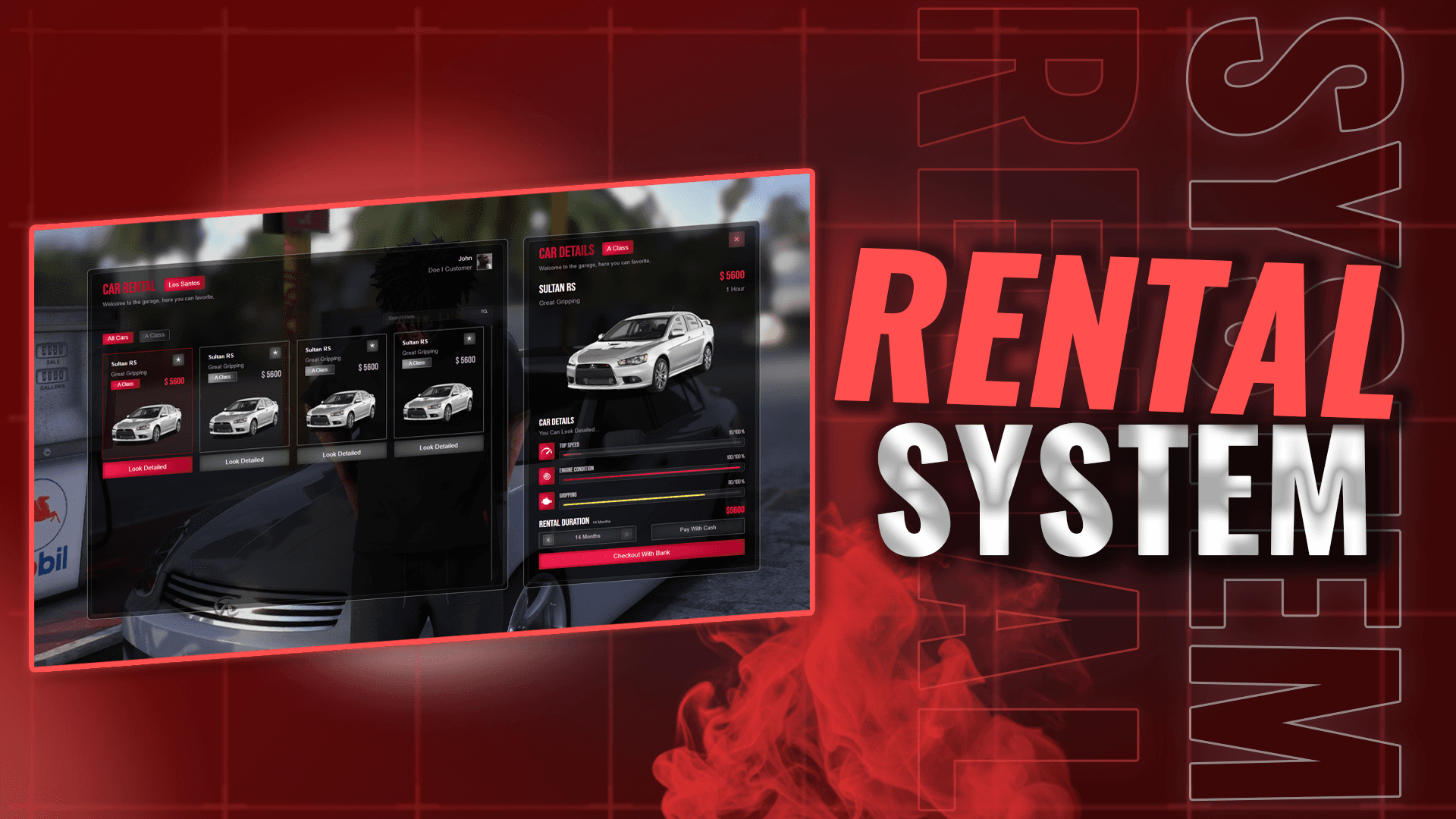
✨ New Features * FiveM Identifiers Integration: Converted the framework to use FiveM identifiers, removing the Steam dependency. Players no longer need Steam open to join the server. * Admin Commands: Added /car command for admins to spawn vehicles. * Admin Vehicle Deletion: Added /dv command for admins to delete players' vehicles. * All New Car Rental System: Enjoy our brand new car rental system! With a completely revised and improved modern UI. ⚙️Improvements * Framework Optimization

QBCore Patch Notes - V1.6
✨ New Features * New Garage System: Overhauled the garage system with a completely new, unique UI, enhancing vehicle management and style. ⚙️ Improvements * Optimized Gun Reloading: Improved the gun reloading mechanics for a smoother and more reliable experience. 🐛Bug Fixes Fixed Gun Reloading Issue: Resolved a bug that caused issues with reloading guns, ensuring seamless gameplay. 👋Have an idea for the next update? Share it in the suggestions channel on Discord to see your idea come

HTNFW Patch Notes - V1.10
✨ New Features * 🪓Lumberjack Job Enhancement! Trees ready for chopping are now highlighted, making it easier to spot your next target! * 🏎️ Tunershop Showroom UI! Added a sleek, immersive showroom UI to the tunershop for a top-notch vehicle browsing experience. ⚙️ Improvements * 👥 Character Storage Refactor! Optimized character storage in the framework for better performance and reliability. 🐛 Bug Fixes * 🗺️Fixed the spawn selector issue where choosing "last location" incorrectly

Application update V 1.0.51
🔧 Core Improvements * Split the main Electron process logic into separate modules for authentication, auto-updating, artifacts management, database operations, file management, firewall configuration, mod management, and window handling. → Improves maintainability and organization by isolating functionality into dedicated files. * Changed appId from com.electron.app → htnetwork.app in electron-builder.yml to reflect the correct application identifier. * Eliminated all usage of electron-l

HTNFW Patch Notes - V1.9
We’re thrilled to announce the release of our official HTNFramework documentation! You can now explore all available exports to convert scripts from other frameworks or create your own. Check out the full guide here: 🔗 HTNFramework Dev Documentation Important Notes: * We do not provide script development support or assistance with creating scripts. Please refrain from reaching out with questions about how to implement specific features. * If you encounter any issues with the exports, feel f

QBCore Patch Notes - V1.5
* 🏌️New HUD! Introduced a sleek, modern heads-up display featuring armor plates with a clean layout and vibrant design. * 🏎️ New Car HUD! Added a dynamic car HUD featuring a stylish circular minimap, real-time vehicle stats like speed, fuel, and damage, all wrapped in a sleek design matching the HTNetwork aesthetic! 📌Action Required: Please download the latest application from your client area and update your basic setup files. Note: The HUD image in the application hasn’t

Something’s Coming 👀
A small glimpse. Big things ahead.

HTNFW Patch Notes - V1.08
We’re excited to bring you the latest update for the HTNFramework. This patch introduces new features, bug fixes, and quality-of-life improvements to enhance your experience. Read on for the full details! New Features * Character Selector: If no character exists in a slot, a default ped will now spawn automatically. * Showroom Update: Populated the Premium Deluxe Motorsport (PDM) showroom with vehicles to ensure it no longer appears empty. * Office Whitelisting: Added the ability to whitel

💸 Get Rewarded by HTNetwork for Your Written Guides
We’ve made some small but impactful quality-of-life improvements to our Discord, all aimed at improving transparency and community involvement. ✅ Suggestion Tags Now Live We’ve updated our Community Suggestions forum with a new system: * If your idea is accepted and being worked on, we’ll tag your post. * If your idea has been implemented, you’ll get a confirmation tag too. This helps make it clearer what we’re working on and shows that we are actively listening to your feedback. 📚 Com

HTNFW Patch Notes - V1.07
* 👥 New Character Selector! Added a sleek character selector supporting up to 10 player slots, with a modern UI, customizable character previews, and seamless switching for a personalized roleplay experience! * 🗺️ New Spawn Selector! Introduced a revamped spawn selector featuring custom locations tailored to the HTNetwork world, dynamic time-of-day previews, and quick-access spawn options for immersive entry points! * 🧹 Optimized backend code to enhance server stability and performance, es

QBCore Patch Notes - V1.4
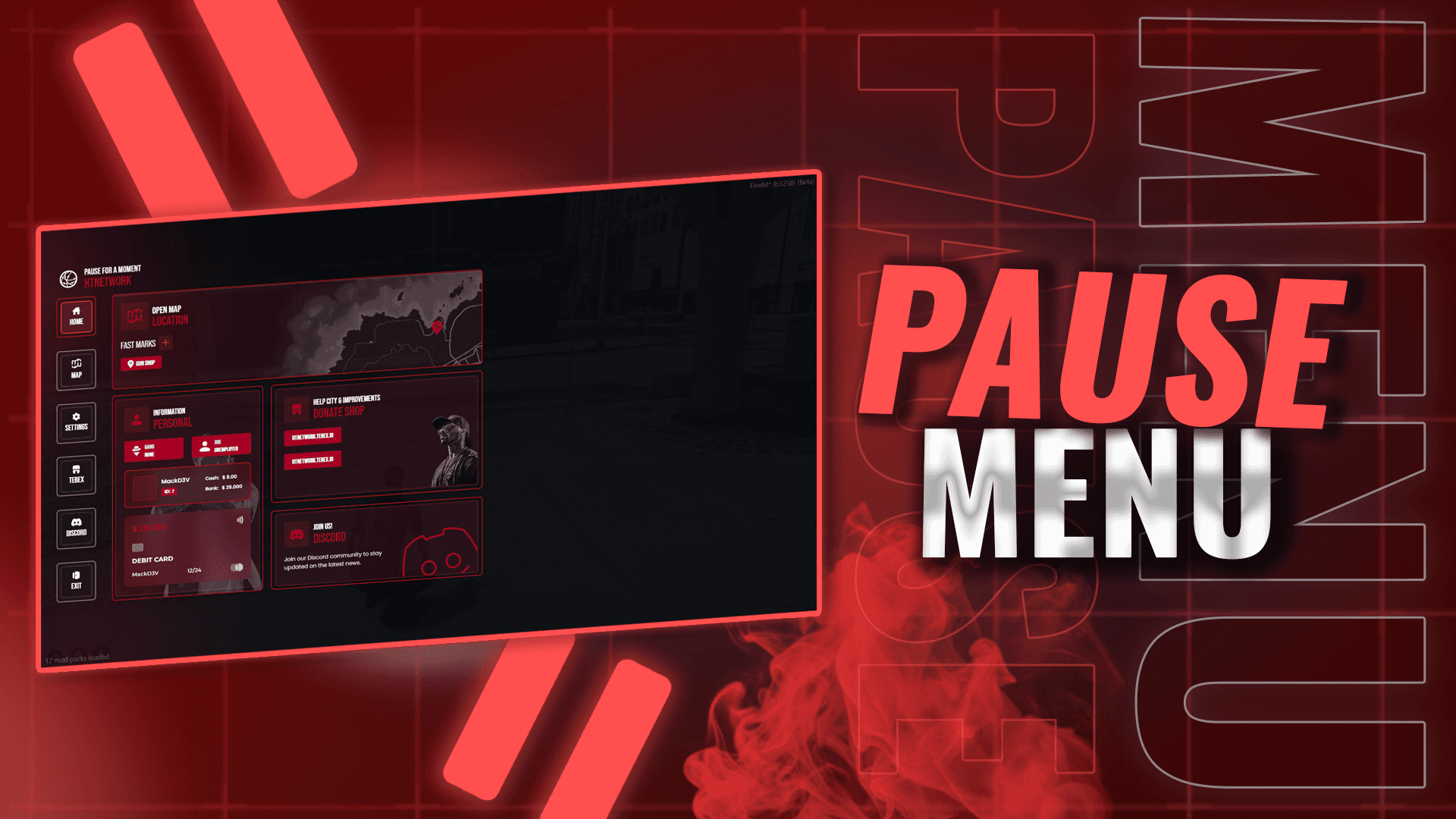
* ✨ Application Renamed! The application is now officially called QBCore All-In-One! * 🖥️ Introduced a custom pause menu styled to match the vibrant HTNetwork theme. * 🔒Added authorization to scripts for enhanced security and control. * 📷Updated several images in the application to prepare for a small update early next week. This will include our custom character selector, so stay tuned and keep your eyes peeled! 📋Follow-On Update (09/06/2025): Introducing our unique HTNetwork