

What Is FiveM AI?
FiveM AI is artificial intelligence designed to help create, manage, debug and improve FiveM servers.
A basic AI code generator may produce a Lua script from a written prompt. However, producing code is only one part of FiveM development.
A complete FiveM resource may also require:
- Client and server Lua files
- An
fxmanifest.luafile - Framework integrations
- Database tables
- SQL imports
- Existing resource dependencies
- Configuration files
- User interfaces
- Server testing
- Console debugging
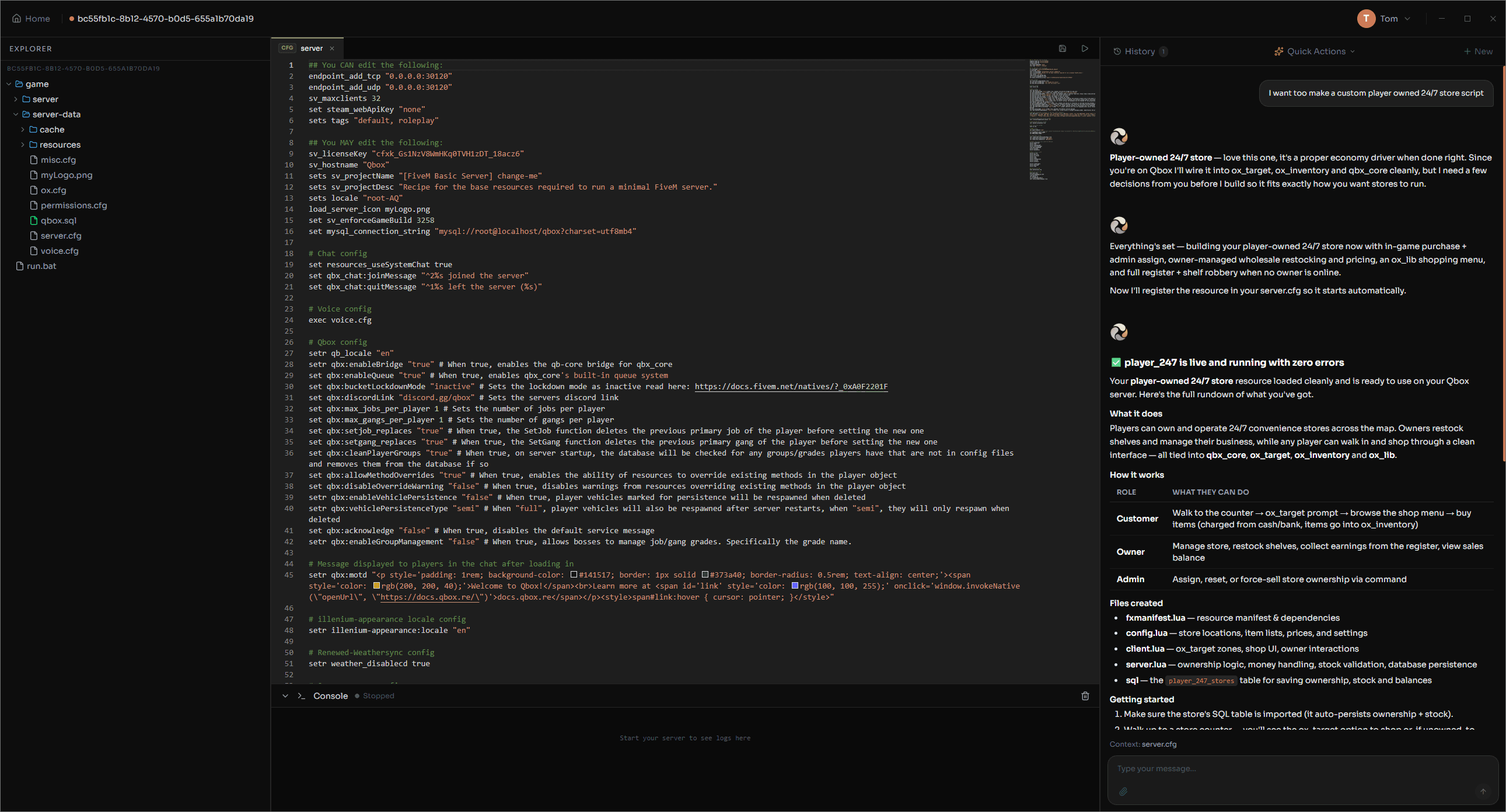
Ovan AI is designed to work across this entire process rather than simply returning a block of code for you to install and debug manually.
You can describe what you want to create in normal language, and Ovan can work directly with your server project to build it.
Why Generic AI Tools Can Struggle With FiveM Development
General AI chatbots can be useful for answering coding questions, but they often lack the wider context of your actual FiveM server.
You may need to repeatedly explain:
- Which framework your server uses
- Which resources are installed
- How your existing scripts are structured
- Which inventory or targeting system you use
- How your database is configured
- Which dependencies are already available
The AI may then provide code that still needs to be manually copied, installed, configured and tested.
When an error appears, you normally need to copy the console error back into a new chat before asking for another fix.
Ovan removes much of this unnecessary back and forth.
Ovan works with your server project, understands the files and resources around the script, and can continue through the build, testing and debugging process inside one FiveM development environment.
Meet Ovan AI
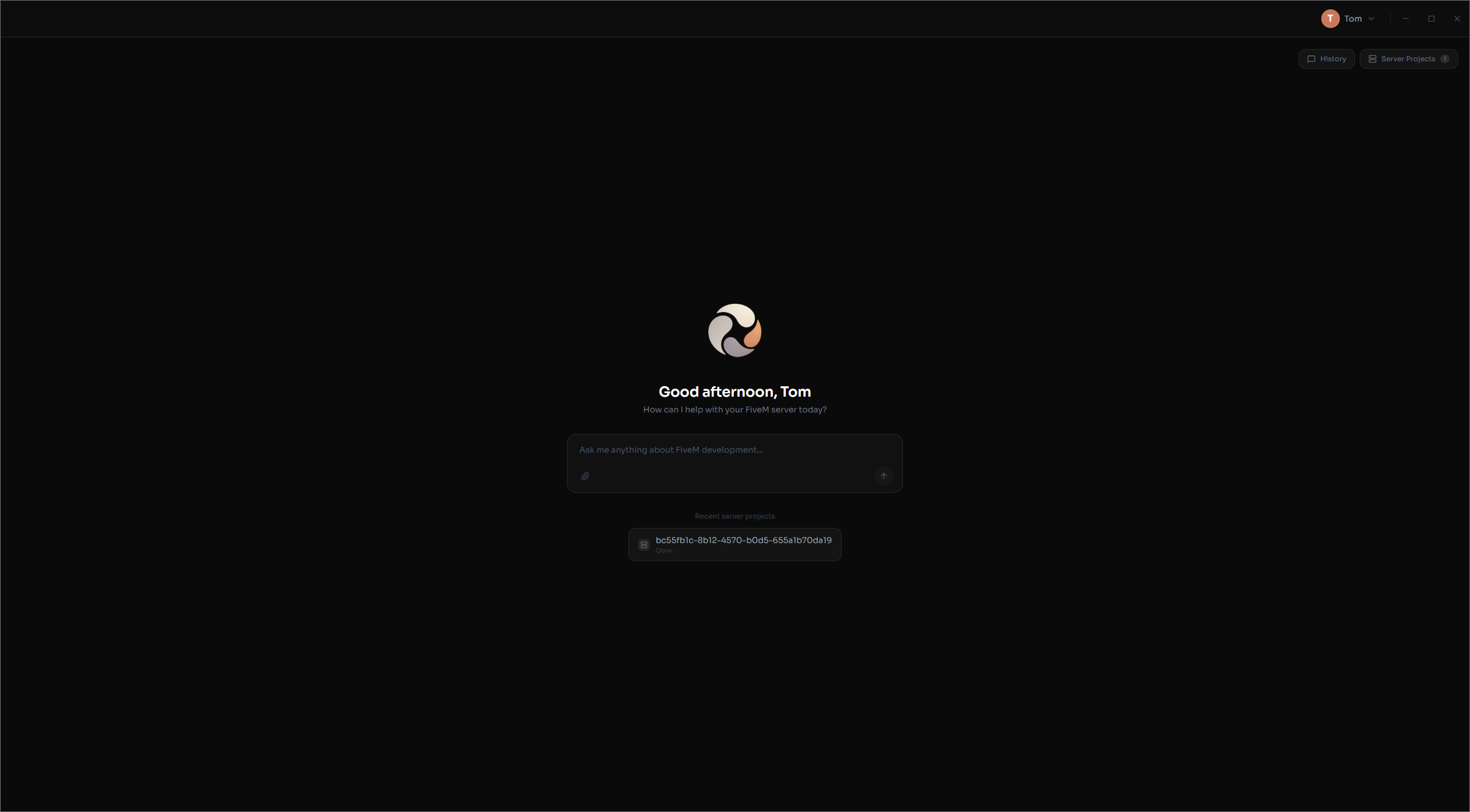
Ovan AI is HTNetwork’s purpose-built FiveM AI development application.
It combines an AI assistant with server projects, file access, database tools, server controls and a live FiveM console.
Ovan can help you:
- Build complete FiveM servers
- Create custom FiveM scripts
- Work with existing server projects
- Detect your server framework
- Understand installed resources
- Create and import SQL
- Start and stop your server
- Monitor the live server console
- Find Lua and resource errors
- Automatically investigate and repair issues
Everything works together inside one application.
Build an Entire FiveM Server With AI
Ovan is not limited to creating individual Lua scripts.
You can describe the type of FiveM server you want to build and allow Ovan to help create the complete project from the ground up.
Ovan can work with:
- QBCore
- Qbox
- ESX
- Standalone resources
- Fully custom frameworks
You could ask Ovan to help build a complete roleplay server around an existing public framework or create systems designed around your own custom framework.
Because Ovan works through server projects, it can maintain a wider understanding of the server while creating new resources.
This allows separate scripts and systems to be developed around the same framework, dependencies and existing server structure.
Create FiveM Scripts for Any Framework
Ovan can build custom FiveM scripts around your requirements.
Describe the system, features and design you want, and Ovan can create the files required for the resource.
Examples could include:
- Custom jobs
- Police systems
- Garages
- Vehicle rental systems
- Banking systems
- Criminal activities
- Admin tools
- Custom menus
- Business systems
- Player-owned locations
- Inventory integrations
- Targeting integrations
- Standalone resources
Ovan understands QBCore, Qbox, ESX, standalone resources and custom frameworks.
Instead of receiving generic code that ignores your existing server setup, Ovan can use the context available from your project when creating or modifying a resource.
Import an Existing FiveM Server
You do not need to start a new server to use Ovan.
Existing FiveM servers can be imported as Ovan server projects.
Ovan can scan the project, inspect its files and automatically detect the framework being used.
This gives the AI context about your:
- Framework
- Resources
- File structure
- Dependencies
- Existing code
- Configurations
- Database requirements
You can then ask Ovan to create new scripts, modify existing resources, investigate errors or improve parts of your current server.
This is one of the largest differences between Ovan and using a normal AI chatbot for FiveM development.
You do not need to explain your complete server setup again every time you ask for help.
Ovan Can Build, Test and Fix Its Own Work
Generating code does not mean a FiveM resource is finished.
The resource still needs to be installed, started and tested.
Ovan can continue beyond code generation by working through the development process.
A typical Ovan workflow may look like this:
- You describe the FiveM script or system you want.
- Ovan understands your framework and existing server resources.
- Ovan creates the required files and code.
- Required SQL files are detected and imported.
- Ovan starts the FiveM server.
- The live server console is monitored for errors.
- Ovan investigates any errors it discovers.
- Fixes are applied and the resource can be tested again.
Instead of receiving code that you still need to install and debug yourself, Ovan is designed to help produce a working result.
Automatic SQL and Database Setup
Many FiveM resources require database tables before they can work correctly.
This traditionally means locating an SQL file, opening a database management tool and manually importing the required tables.
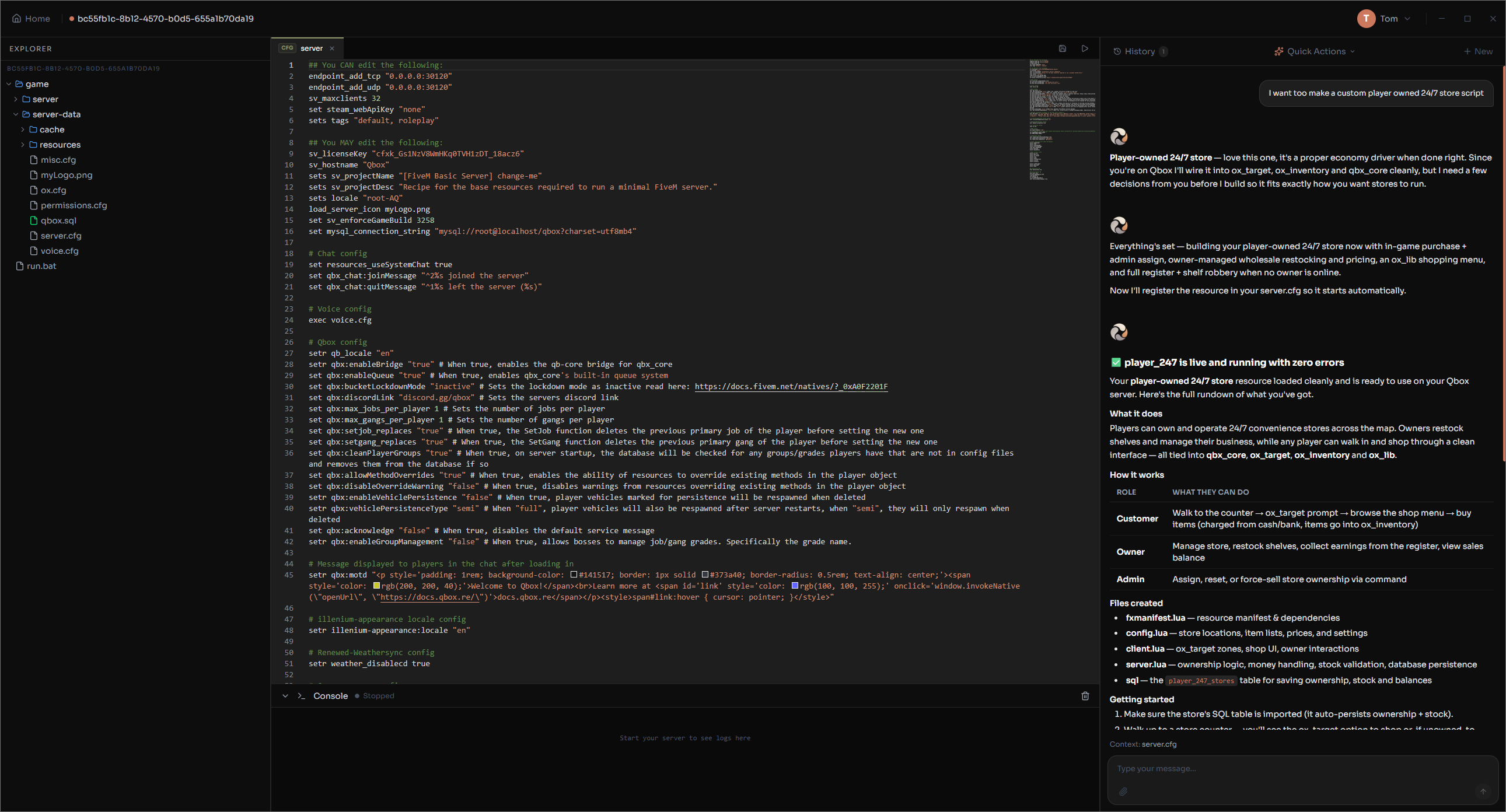
Ovan can detect SQL files created for a resource and handle the database setup automatically.
This reduces manual configuration and helps keep the complete development workflow inside one application.
The AI can understand how the database relates to the script it is building, making it easier to create systems that store player, vehicle, business or server information.
Manage Your FiveM Server Without Leaving Ovan
Ovan is also a complete server development workspace.
You can manage the server connected to your Ovan project without repeatedly moving between separate programs.
From Ovan, you can:
- Start your FiveM server
- Stop your server
- Restart your server
- Access server files
- View the live console
- Monitor server output
- Work with your AI assistant
- Manage multiple server projects
The AI, codebase and running server work together in the same environment.
This gives Ovan the context required to help throughout development rather than only generating isolated code snippets.
Find and Fix FiveM Lua Errors
Finding the cause of a FiveM error can be difficult, particularly when multiple resources depend on each other.
Ovan can scan server files, inspect existing code and analyse errors from the FiveM server console.
You can use Ovan to investigate issues such as:
- Lua errors
- Missing dependencies
- Incorrect exports
- Resource startup failures
- Framework compatibility issues
- Broken callbacks
- Configuration problems
- Database errors
Because Ovan can understand the wider server project, it can consider related resources and dependencies while investigating the issue.
Ovan AI Compared With a General AI Chatbot
| Feature | General AI Chatbot | Ovan AI |
|---|---|---|
| Generate FiveM code | Yes | Yes |
| Understand your complete server project | Limited | Yes |
| Automatically detect your framework | No | Yes |
| Access your server files | Usually manual | Yes |
| Create complete server projects | Limited | Yes |
| Import required SQL | Manual | Automatic |
| Start and stop your server | No | Yes |
| View the live FiveM console | No | Yes |
| Detect server errors | Manual copy and paste | Yes |
| Test and automatically repair work | Limited | Yes |
General AI tools can help write code.
Ovan is designed to become the development environment surrounding your FiveM server.
Who Is Ovan AI Built For?
Ovan is designed for a wide range of FiveM users.
New FiveM Server Owners
You do not need years of Lua development experience to explain what you want to create.
Ovan can help turn an idea into a working server resource while assisting with setup, databases and errors.
Existing Server Owners
Import your current server and use Ovan to create new features, investigate problems and improve existing systems.
FiveM Developers
Use AI to speed up repetitive development work, understand larger projects and move from an idea to testing faster.
FiveM Development Studios
Manage multiple server projects and use Ovan across regular script development, testing and debugging workflows.
How Much Does Ovan AI Cost?
Every Ovan plan includes access to the same features and capabilities.
The only difference is the number of Ovan Credits included each month.
| Plan | Monthly Ovan Credits | Estimated Average Usage |
|---|---|---|
| Starter | 600 | Around 5 scripts |
| Pro | 1,500 | Around 12 scripts |
| Studio | 3,000 | Around 30 or more scripts |
There is no fixed limit on the number of scripts you can create.
Script estimates are based on average usage. The number of credits required will vary depending on the size and complexity of the request, the amount of server context required and the amount of building, testing and debugging Ovan performs.
Ovan plans currently start from $12 per month.
What Operating Systems Support Ovan?
Ovan is available for:
- Windows 10
- Windows 11
- Windows Server 2019 and newer supported Windows Server versions
Ovan can be installed on a compatible Windows computer or Windows VPS.
Need a server for your FiveM project? Explore HTNetwork Game VPS Hosting.
Frequently Asked Questions
What is the best AI for FiveM development?
The best FiveM AI should understand more than Lua code. It should understand server frameworks, existing resources, databases, dependencies and server errors. Ovan combines FiveM AI development with server projects, file management, database setup, live console access and automatic testing.
Can AI build a complete FiveM server?
Yes. Ovan can help build complete FiveM server projects using QBCore, Qbox, ESX or a custom framework. It can create resources, configure required databases, run the server and investigate errors.
Can AI make FiveM scripts?
Yes. Ovan can create custom FiveM scripts for QBCore, Qbox, ESX, standalone servers and custom frameworks.
Can Ovan understand my existing FiveM server?
Yes. You can import an existing server as an Ovan project. Ovan scans the project, detects the framework and understands the resources, files and existing code surrounding the work you request.
Can Ovan fix FiveM Lua errors?
Ovan can scan server files, analyse Lua errors and use server console output to investigate and repair issues.
Does Ovan automatically import SQL files?
Yes. Ovan can detect required SQL files, import them and build the database structure required by the resource.
Is Ovan only an AI script generator?
No. Ovan combines AI development with server files, database tools, project management, server controls, console monitoring, testing and automatic error repair.
Start Building With FiveM AI
FiveM development has traditionally required moving between code editors, database tools, server consoles, file managers and documentation.
Ovan brings these workflows together.
Build custom scripts, create complete servers, import existing projects, configure databases, test resources and fix errors from one purpose-built FiveM AI application.
Whether you are starting your first FiveM server or managing multiple development projects, Ovan is built to help turn your ideas into working server systems faster.