

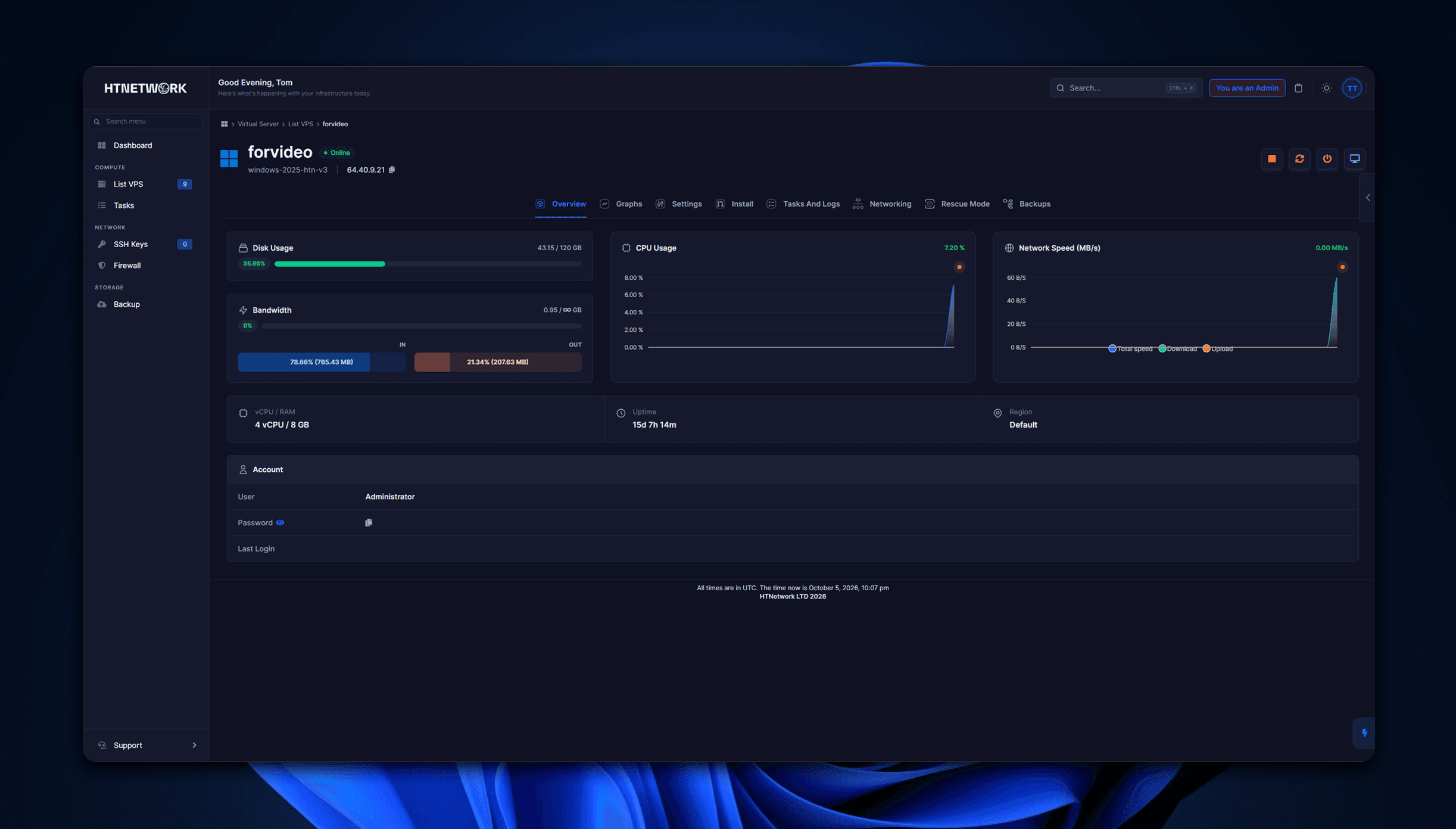
Game VPS hosting gives you your own virtual machine to run game servers on, with full root or admin access and no panel limits. If you are running a FiveM roleplay server, a modded Minecraft world or several games at once, a VPS for game servers is usually the step up from a basic shared game panel.
The catch is that not every VPS is built for games. Most VPS plans are designed for websites, and a game server stresses hardware in a completely different way. This guide covers what actually matters when you choose VPS hosting for game servers: the CPU, RAM, storage and network your server needs, how big a plan to buy, where to host it, and how to get it running.
What is game VPS hosting?
A game VPS (virtual private server) is a slice of a powerful physical server, split off with virtualisation so it behaves like your own computer in the cloud. You get a fixed amount of CPU cores, RAM and storage, your own IP address, and full control of the operating system.
The "game" part is about how the VPS is built. A proper game VPS runs on hardware with high per-core clock speeds, fast NVMe storage, low-latency networking and DDoS protection, because those are the things that decide whether players see lag, rubber-banding or disconnects.
With a game VPS you can:
- Run almost any dedicated game server: FiveM, RedM, Minecraft, BeamMP, Rust, ARK, Valheim, CS2 and more
- Host several game servers on one machine, plus a Discord bot, website or database alongside them
- Install any mods, frameworks, plugins or tools you like
- Edit every config file and restart on your own schedule, without waiting on support
Game VPS vs game server hosting vs dedicated server
There are three common ways to host a game server. The right one depends on how much control you need and how many players you expect.
Managed game server hosting | Game VPS hosting | Dedicated server | |
|---|---|---|---|
What you get | One game server inside a hosting panel | Your own virtual machine | A whole physical machine |
Control | Limited to what the panel allows | Full root or admin access | Full access to the hardware |
Run multiple games | Usually one server per plan | Yes, as many as the resources allow | Yes |
Setup effort | Lowest | Moderate, or low with a one-click installer | Highest |
Cost | Lowest for one small server | Middle | Highest |
Best for | Beginners and small friend groups | Growing communities, modded servers, developers | Very large networks |
If you just want one small server running in minutes, managed game hosting is the simpler option. Once you need custom frameworks, multiple servers or tools a panel will not let you install, a game VPS gives you that freedom without paying for a full dedicated machine.
What specs does a game server VPS need?
Per-core CPU speed matters most, followed by enough RAM, fast storage and a clean network. Here is what to look for in each.
CPU: clock speed beats core count
Most game servers, including Minecraft and FiveM, run their main game loop largely on a single thread. That means one fast core does more for your tick rate than lots of slow ones. A VPS on an older, lower-clocked server CPU can have plenty of cores on paper and still lag when the server fills up.
Look for a host that names the exact CPU model, not just "4 vCPU". Modern desktop-class chips such as the AMD Ryzen 9 9950X (up to 5.7GHz boost) are a far better fit for game servers than many older data-centre CPUs that run at much lower clocks.
RAM: plan for mods and growth
RAM usage climbs with player count, mods, scripts and map size. A lightly modded server for a few friends is happy on 4GB. A busy FiveM roleplay server with a full framework, custom cars and MLOs, or a heavy Minecraft modpack, can need 8GB to 16GB or more. Faster DDR5 memory also helps the CPU keep up.
Storage: NVMe, and enough of it
NVMe storage loads maps, assets and world saves far faster than SATA SSDs or hard drives, which shortens restarts and reduces stutter when chunks or streamed assets load.
Size matters too. If you plan to use Windows, the operating system alone takes a big share of a small disk. A 50GB plan leaves very little room once Windows, game files, mods and backups are on it, so 75GB is a more realistic starting point.
Network: latency and DDoS protection
A fast uplink stops your server choking when lots of players join or download resources at once. Just as important is low latency to your players and DDoS protection that filters attacks before they reach your server. Game servers are a common DDoS target, especially popular FiveM and Minecraft communities.
How big a VPS do you need for your game server?
Start from your expected peak player count and how heavily modded the server is, then leave headroom. Running out of RAM mid-session causes crashes; a little spare capacity is cheaper than losing players.
As a guide, these are HTNetwork's recommended player counts for each game VPS hosting plan. They are recommendations, not hard limits, and a heavily scripted server will sit lower in each range.
Plan | CPU cores | RAM | NVMe storage | Recommended players | Good for |
|---|---|---|---|---|---|
Game VPS 4GB | 2 | 4GB | 75GB | Up to 20 | Small communities, light mods |
Game VPS 8GB | 4 | 8GB | 120GB | Up to 48 | Most gaming communities |
Game VPS 12GB | 4 | 12GB | 150GB | Up to 64 | Heavy modpacks |
Game VPS 16GB | 6 | 16GB | 180GB | Up to 80 | Large communities, multi-game setups |
Game VPS 24GB | 8 | 24GB | 240GB | Up to 100 | High-traffic and competitive servers |
Game VPS 32GB | 8 | 32GB | 320GB | Up to 128 | Serious networks |
A few rules of thumb:
- Running several games on one VPS? Add up each server's RAM needs and size for the total.
- New FiveM roleplay server? The 8GB plan is the usual sweet spot. Move up when your framework, resources and player count grow.
- Not sure? Pick the plan that fits your current peak with some headroom. You can upgrade a VPS later as you grow, but plans cannot be downgraded, so do not overbuy on day one.
Location, DDoS protection and operating system
Host close to your players
No amount of hardware fixes distance. If most of your players are in the US and your server is in Europe, everyone pays for it in ping. Pick the location closest to the bulk of your community:
- US Central (Texas): good all-round coverage for North American players
- US East (Virginia): East Coast US and Canada
- Europe (London): UK and Western Europe
- Oceania (Australia): Australia and New Zealand
Make sure DDoS protection is included, and visible
DDoS attacks can take a game server offline in seconds, and some hosts charge extra for protection. Check that it is included on every plan, and ideally that you can see when your server is attacked and act on it. HTNetwork VPS customers can view attacks and manage their DDoS firewall themselves from the client area.
Windows or Linux?
Both work. Choose based on the game and how you like to work.
- Windows Server is the easiest route if you are used to a desktop. You connect with Remote Desktop and manage files the same way you would on your own PC. Some hosts charge a monthly licence fee for it, so check before you buy.
- Linux (such as Debian or Ubuntu) uses fewer resources and suits people comfortable with the command line. Most dedicated server software, including FiveM's FXServer and Minecraft, runs well on it.
How to set up a game server on a VPS
The exact steps depend on the game, but the process is broadly the same for all of them.
- Choose your plan and location. Size it for your expected peak players and pick the region closest to them.
- Pick your operating system. Windows Server for a familiar desktop, or Linux for a leaner setup.
- Connect to your VPS. Use Remote Desktop on Windows, or SSH on Linux. A browser-based VNC console is handy if you ever lock yourself out.
- Install the game server. Download the official server files (for example FXServer for FiveM, or the Minecraft server JAR), or use a one-click installer if your host provides one.
- Open the right ports. Allow your game's ports through the VPS firewall. FiveM uses 30120 by default and Minecraft Java uses 25565.
- Configure and test. Set your server name, slots, framework and resources, then join it yourself before you announce it.
- Set up backups. Make sure backups run automatically, and test restoring one before you need it.
On HTNetwork, every Game VPS comes with HTN Panel pre-installed, so you can deploy a ready-to-run game server onto your VPS from the app instead of doing steps 4 to 6 by hand. If you run FiveM, our server packs give you a pre-configured framework to start from. Stuck? The Help Center has step-by-step guides.
Why choose HTNetwork for game VPS hosting?
We built our game VPS hosting around what game servers actually need, and we tell you exactly what you are getting.
- The same hardware on every plan. AMD Ryzen 9 9950X CPUs, DDR5 5600MHz RAM and NVMe storage, whether you buy the smallest plan or the largest.
- Windows Server included. No extra monthly licence fee on any plan.
- DDoS protection you control. Included on every VPS, with attack alerts and a self-service firewall in the client area.
- Full root and admin access. Install anything, change anything, no panel restrictions.
- HTN Panel pre-installed. Deploy a ready-to-run game server onto your VPS from the app.
- Backups included. Automatic backups on every VPS at no extra cost.
- Four locations. Texas, Virginia, London and Australia.
- Honest plans. Every plan starts at 75GB of NVMe storage, so Windows actually has room to run, and cores, RAM and storage step up together.
- A 24-hour refund. Change your mind within 24 hours of ordering and you get your money back, not account credit.
Switching from another host? We will help you migrate, and if you have seen a better price elsewhere, send it over and we will do our best to match it.
Game VPS hosting FAQ
Is a VPS good for hosting game servers?
Yes. A VPS gives you dedicated CPU, RAM and storage plus full control of the operating system, so you can run modded servers, custom frameworks and several games at once. It suits growing communities better than a basic game panel, at a lower cost than a dedicated server.
How much RAM do I need for a game server?
For a small, lightly modded server, 4GB is usually enough. Most FiveM roleplay servers and modded Minecraft servers are comfortable on 8GB to 16GB. Large or heavily scripted servers, or several games on one VPS, may need 24GB or more.
What is the best CPU for a game server VPS?
One with high per-core clock speeds. Most game servers rely heavily on a single main thread, so a modern high-clock CPU like the AMD Ryzen 9 9950X usually outperforms older server CPUs with more cores but lower clocks.
Can I run multiple game servers on one VPS?
Yes. As long as the VPS has enough CPU, RAM and storage for all of them, you can run a FiveM server, a Minecraft world and a Discord bot side by side, each on its own ports.
Can I keep my game server online 24/7?
Yes. A VPS runs continuously in a data centre, so your server stays online whether or not your own PC is switched on.
Should I use Windows or Linux for my game VPS?
Windows is easier if you prefer a familiar desktop over Remote Desktop. Linux uses fewer resources and suits people comfortable with the command line. Most popular game servers run on both.
What is the difference between a game VPS and game server hosting?
Game server hosting gives you one game server inside a control panel with limited access. A game VPS gives you an entire virtual machine, so you control the operating system, can install anything and can run as many servers as the resources allow.
Get started with game VPS hosting
The best VPS for a game server is the one with fast cores, enough RAM, NVMe storage, DDoS protection and a location close to your players. Get those right and your community gets a smooth, lag-free server that can grow with it.
If you are ready to move beyond a basic game panel, choose your HTNetwork Game VPS plan and deploy in Texas, Virginia, London or Australia today.