

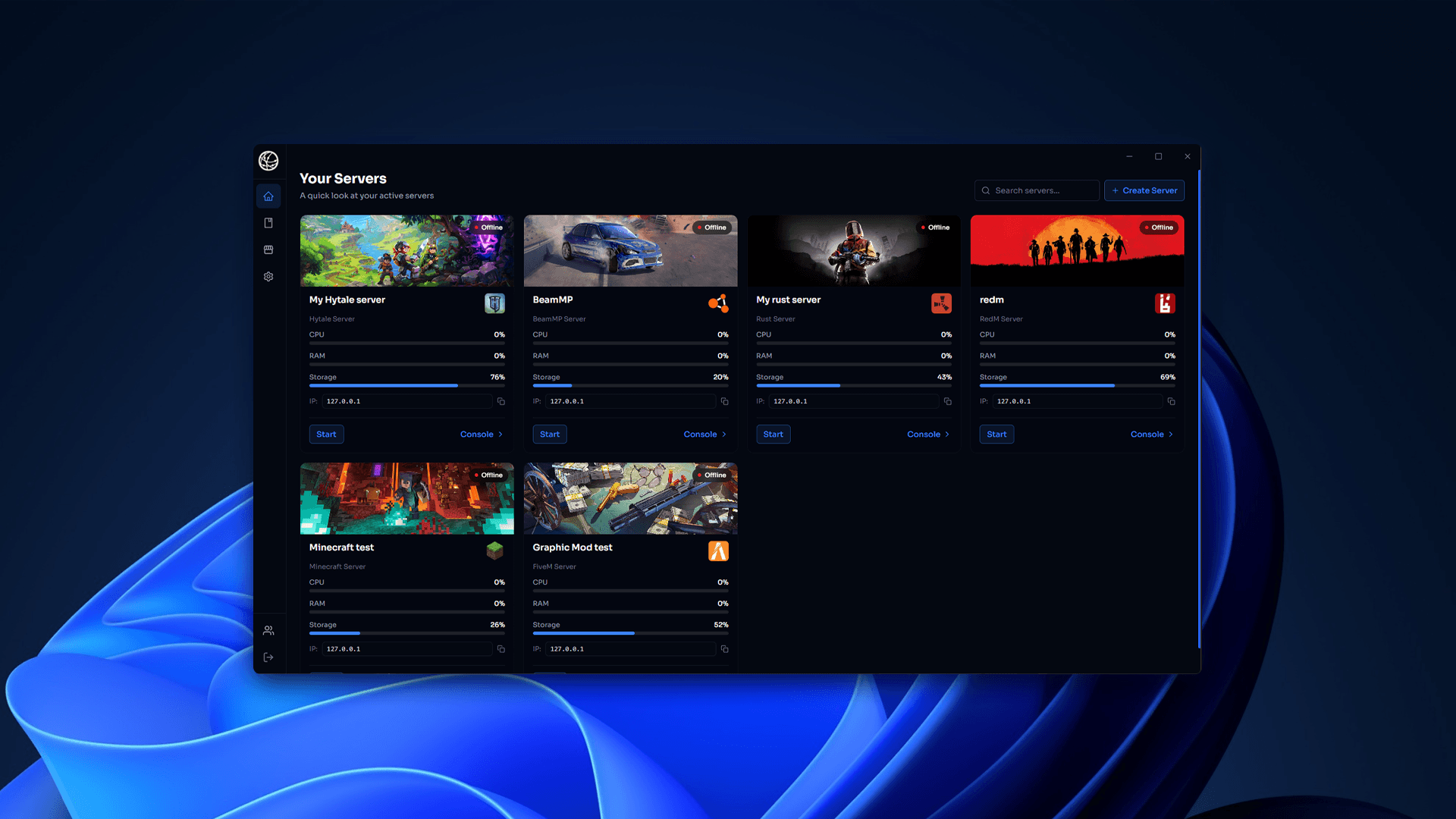
Quick answer: The best Pterodactyl alternative depends on what you are running. For hosting companies that want a Pterodactyl-style web panel, Pelican is the closest replacement. For a paid panel with support that runs on Windows or Linux, AMP is the popular choice. For Minecraft only, Crafty Controller is simpler. And if you just want to host game servers on your own Windows PC with one-click installs and no port forwarding, HTN Panel is the easiest option.
Disclosure: HTN Panel is made by HTNetwork, the company behind this blog. We have included it where it genuinely fits and been clear about where other panels are the better choice.
Written by Tom, founder of HTNetwork, who has run Pterodactyl in production for HTNetwork's game hosting.
Why look for a Pterodactyl alternative?
Pterodactyl is a free, open-source game server panel, but it is built for Linux hosting setups and takes real sysadmin work to install and maintain. People look for alternatives when they want something simpler, something that runs on Windows, or a product with paid support behind it.
Pterodactyl has two parts: a web panel (PHP and Laravel, with a database, Redis, a queue worker and a web server) and Wings, a daemon on each node that runs every game server in its own Docker container. That design is excellent for hosting companies running many customers across many machines. It is a lot of moving parts for one person who just wants a server for friends.
The most common reasons people switch:
- Setup complexity. A working install means a Linux server, a web stack, a database, SSL, Docker and Wings, all configured correctly.
- Linux and Docker only. Wings runs on Linux, so you cannot run it on a normal Windows PC, and Windows-only game servers are awkward.
- No official support. Help comes from the community and documentation, not a support team.
- Upkeep. Panel, Wings, eggs and themes all need updating, and third-party themes can break during upgrades.
- Overkill for one machine. Multi-node, multi-user features add complexity a single home or VPS setup does not need.
Pterodactyl alternatives compared at a glance
The right alternative depends on three things: where you will run it (your own PC, a VPS or many nodes), whether it needs to be Windows-friendly, and whether you want paid support.
Panel | Price | Runs on | Interface | Best for |
|---|---|---|---|---|
Free app, paid per-game subscriptions | Windows PC or Windows VPS | Desktop app | Hosting on your own PC with one-click installs and no port forwarding | |
Free, open source (AGPL-3.0) | Linux, Docker | Web panel | Hosting companies wanting a modern Pterodactyl replacement | |
Free, open source (Apache 2.0) | Linux | Web panel | A lighter self-hosted web panel | |
Paid licence | Windows and Linux | Web panel | Paid, supported panel with a large built-in game library | |
Free, open source | Windows, Linux, Docker | Web panel | Minecraft-only servers | |
Free, open source | Linux | Command line | Admins comfortable in a terminal | |
Pterodactyl forks (such as Pyrodactyl) | Free, open source | Linux, Docker | Web panel | Pterodactyl users who want a refreshed interface |
The best Pterodactyl alternatives in detail
1. HTN Panel: best for hosting game servers on your own PC
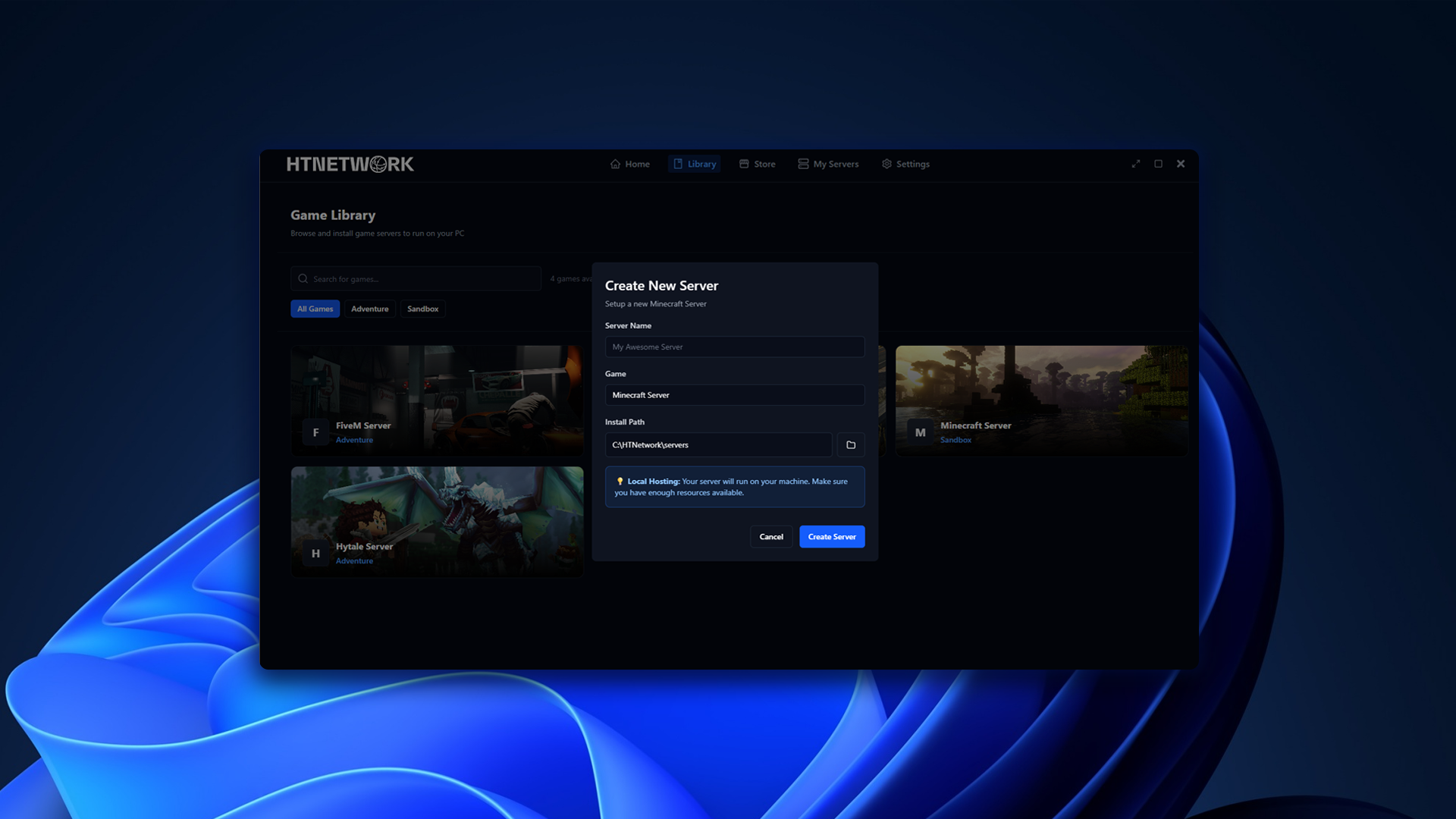
HTN Panel is a desktop app that turns a Windows PC into a game server host, with one-click game installs and a built-in tunnel so friends can join without port forwarding. It solves the opposite problem to Pterodactyl: instead of running many customers across many Linux nodes, it makes one machine easy.
- Games: FiveM, RedM, Minecraft, Rust, BeamMP, Hytale, Euro Truck Simulator 2 and American Truck Simulator, with more listed in the HTN Panel store.
- Features: one-click installs, built-in file manager, backups, remote access from anywhere and no port forwarding.
- Price: the app is a free download; individual games are paid monthly subscriptions, with a 24-hour refund window.
- Also on VPS: comes pre-installed on HTNetwork Game VPS plans, so you can move from your PC to a 24/7 server with the same tools.
Pros: no Linux, Docker or web stack to set up; works on a normal Windows PC; built for people who have never run a server. Cons: Windows only; not designed for selling hosting to customers across multiple nodes; game support is paid per game.
2. Pelican Panel: best direct replacement for hosting companies
Pelican is an open-source fork of Pterodactyl, rebuilt on a modern Laravel and Filament stack. It keeps the same model (a web panel plus Wings daemons running game servers in Docker) but adds a web installer and a plugin system.
Pros: imports existing Pterodactyl eggs and node configurations, free and open source, multi-node. Cons: still Linux and Docker, still a web stack to maintain, community support only.
3. PufferPanel: best lightweight self-hosted web panel
PufferPanel is an open-source web panel (Apache 2.0) for managing game servers on Linux, with optional Docker isolation. It has fewer moving parts than Pterodactyl, which makes it a reasonable middle ground for a single server.
Pros: free, lighter install, templates for Minecraft, Source games and more. Cons: smaller template library and community than Pterodactyl; Linux-focused.
4. AMP by CubeCoders: best paid panel with support
AMP (Application Management Panel) is a commercial, closed-source web panel that runs on both Windows and Linux. Editions range from a single-machine Standard licence to multi-server and hosting-company licences.
Pros: easy installer, very large built-in game library, Windows and Linux support, a company behind it. Cons: paid licence, closed source, still a web panel to secure and expose.
5. Crafty Controller: best for Minecraft only
Crafty Controller is a free, open-source web panel built specifically for Minecraft Java and Bedrock servers. It runs on Windows, Linux or Docker and includes backups, a file manager and user permissions.
Pros: simple, focused, cross-platform. Cons: Minecraft only.
6. LinuxGSM: best for command-line admins
LinuxGSM is a free set of command-line scripts for installing and managing dedicated game servers on Linux. There is no web interface, which is exactly why some admins prefer it.
Pros: lightweight, huge game list, no panel to secure. Cons: terminal only; Linux only; not suited to non-technical users.
7. Pterodactyl forks such as Pyrodactyl
Several community projects build on Pterodactyl's code with a refreshed interface or performance changes. They suit existing Pterodactyl users, but they share the same Linux and Docker requirements, so they do not solve the complexity problem.
How do you choose the right Pterodactyl alternative?
Start with what you are actually doing. Most people searching for a Pterodactyl alternative are not running a hosting company; they want one or two servers to just work.
- Hosting for friends or a community on your own PC? Choose HTN Panel. No Linux, no Docker, no port forwarding.
- Running one VPS and happy with a web panel? PufferPanel or AMP, depending on whether you want free and open source or paid with support. HTN Panel also works if the VPS runs Windows.
- Only running Minecraft? Crafty Controller.
- Selling game hosting to customers across several machines? Pelican, or stay on Pterodactyl. Desktop tools are not built for that.
- Comfortable in a terminal and want no panel at all? LinuxGSM.
Whichever you pick, check three things before committing: that your games are supported, how backups work, and how you will update the panel safely.
Pterodactyl alternatives FAQ
What is the best alternative to Pterodactyl?
It depends on your setup. Pelican is the closest replacement for hosting companies, AMP is the leading paid option, Crafty Controller is best for Minecraft only, and HTN Panel is the easiest way to host game servers on your own Windows PC.
Is there a Pterodactyl alternative for Windows?
Yes. Pterodactyl's Wings daemon runs on Linux, but HTN Panel, AMP and Crafty Controller all run on Windows. HTN Panel is a desktop app, while AMP and Crafty are web panels.
Is Pelican better than Pterodactyl?
Pelican is a modernised fork of Pterodactyl with a new admin interface, a web installer and plugins, and it can import Pterodactyl eggs. Both projects are still actively developed, so the choice comes down to whether you want Pelican's newer features or Pterodactyl's longer track record.
What is the easiest game server panel to set up?
For a single PC, HTN Panel is the easiest because it installs like any other Windows app and handles connections without port forwarding. For a Linux VPS, AMP and PufferPanel are simpler to install than Pterodactyl.
Is there a free Pterodactyl alternative?
Yes. Pelican, PufferPanel, Crafty Controller and LinuxGSM are all free and open source. HTN Panel is a free download, with paid subscriptions for individual games.
Can I host a game server without port forwarding?
Yes. HTN Panel includes a tunnel that lets players connect to a server on your PC without changing your router settings.
Summary: the best Pterodactyl alternatives
Pterodactyl is excellent for hosting companies, but most people need something simpler. Pelican is the best like-for-like replacement, AMP the best paid option, Crafty the best for Minecraft, and HTN Panel the easiest way to host game servers on your own PC.
Want to try the simplest route? Download HTN Panel for free and have a server running in a few clicks. When you are ready to run 24/7, HTN Panel comes pre-installed on every HTNetwork Game VPS.
About the author: Tom founded HTNetwork, a UK game server hosting company that has run Pterodactyl in production, and built HTN Panel to make self-hosting simpler. He also runs the HighwayTrooper YouTube channel.